
There are now many EVM-compatible networks you can use with MetaMask, all of which must be added to your wallet before you can use them with your existing account.
The initialism RPC stands for remote procedure call, a set of protocols that allow a client (such as MetaMask) to interact with a blockchain. Without going off on a significant technical tangent, adding network details using the process below allows MetaMask to connect to the chosen network, and, in turn, lets you interact with that network.
The following are instructions for establishing these connections manually:
MetaMask Extension:
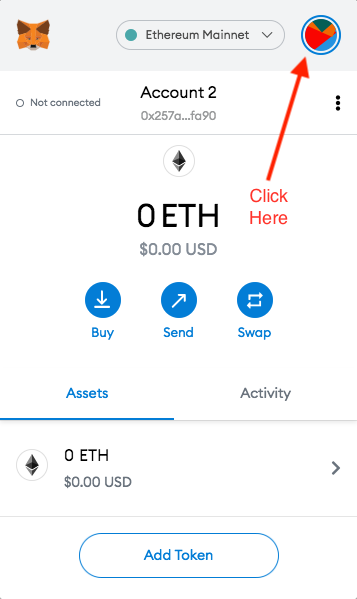
1) Click on the Account button. This will display a list of networks to which you're already connected:
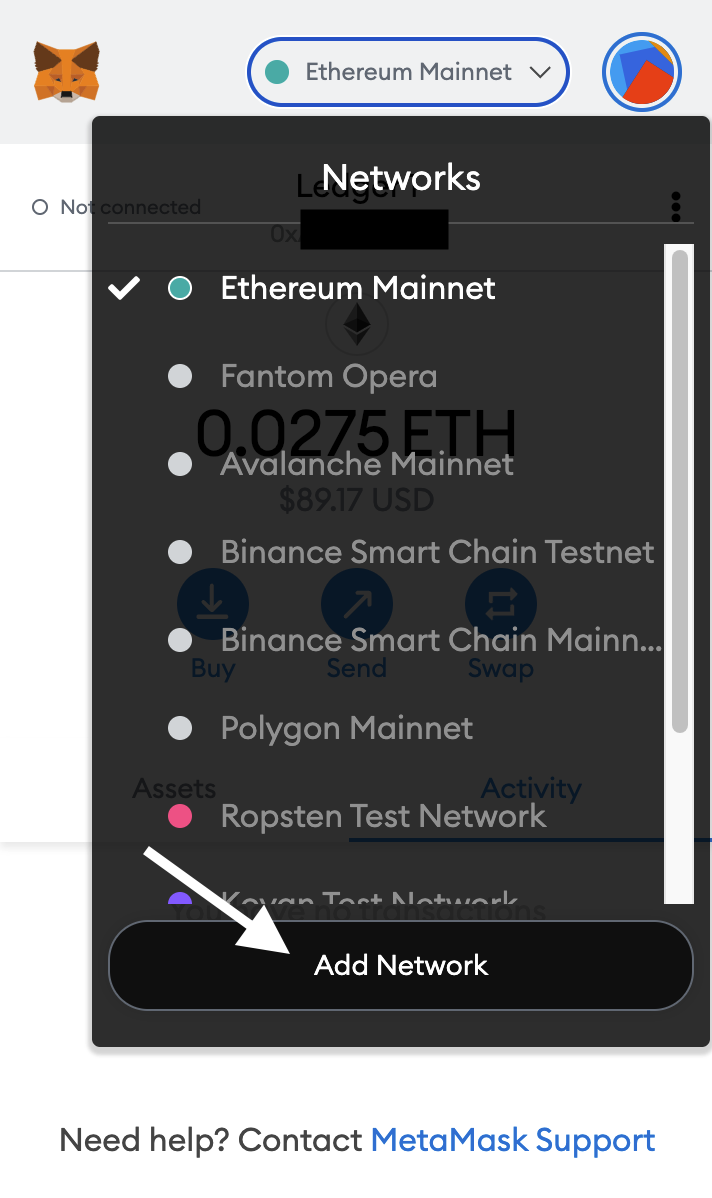
2) Click 'Add network':
3) A new browser tab will open, displaying various fields to fill out:
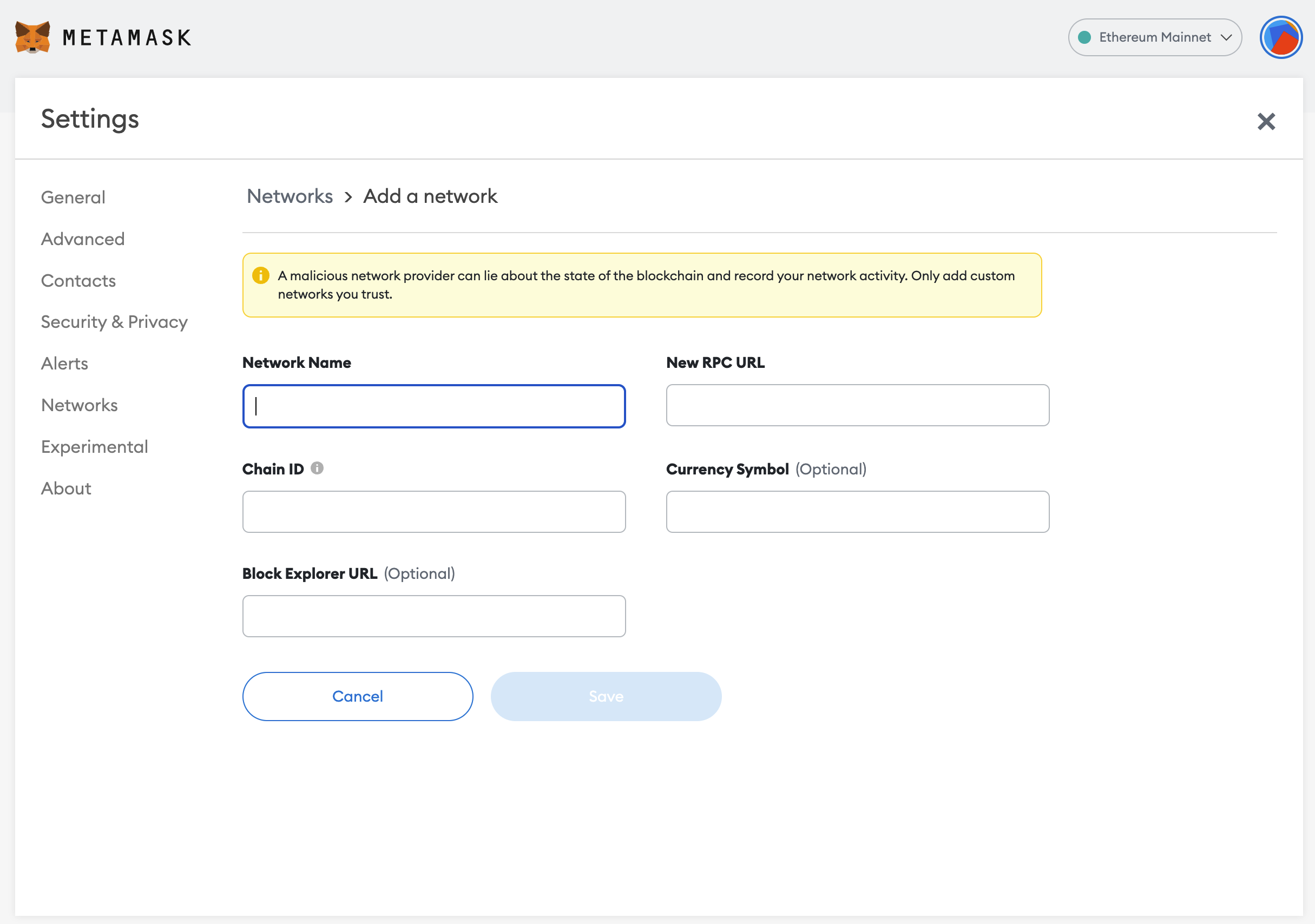
Complete the fields and click save to add the network.
The details for the above fields can usually be found in the docs (i.e. developer documentation)
Wyzth Chain Custom RPC Click here
After performing the above steps, you will be able to see the custom network the next time you access the network selector.